
Blog ·
How to forward school emails straight into a calendar

Somewhere in your inbox right now there's an email with a date in it that you haven't put in the calendar.
Maybe it's the camp newsletter with the changed pickup time. Maybe it's the school's September welcome email, sent in July, that mentions the first day back. Maybe it's a birthday party invite from a parent you've never met.
You read it on your phone, thought "I need to add that," and then life happened. That email is now twenty emails deep, and the date in it is a small time bomb.
Why copy-paste doesn't survive contact with real life
The obvious fix is: read the email, open the calendar, type the event. Everyone knows this. Almost nobody does it consistently, and it's worth being honest about why.
- You read these emails in dead moments. In the supermarket queue, at a red light, during a meeting. There's no time to switch apps and type.
- One email holds five facts. A typical camp email has a date, a time, a place, a packing list, and a form to return. A calendar event has a title and a time. The other three facts get dropped.
- "Later" is where events go to die. Flag it, star it, mark it unread... the email is still just sitting in a pile with everything else.
The pattern is the same one that loses permission slips: the information arrives in one place and needs to live in another, and a human has to carry it across. Every manual carry is a chance to drop it.
The manual version, done as well as it can be done
If you want to run this with the tools you already have, here's the tightest version I know:
- Touch it once. When you open an email with a date in it, deal with it right then. If you can't, leave it unread. Unread is your only honest to-do list.
- Create the event with the email open. Split screen if you're on a computer. Title, date, time, location.
- Paste the details into the notes field. Packing list, form deadline, gate number, all of it. Future you will not find the email again.
- Add a second event for any deadline. If the email says "return the form by the 18th," that's its own entry, a couple of days early.
This works. It also takes a few minutes per email, and schools and camps send a lot of emails. Summer makes it worse, not better: every camp week is a fresh set of instructions from a fresh sender.
The forwarding version
This is the part that made me build Kikko. The insight is small: you're already holding the email. Forwarding it is one tap. So make forwarding the whole job.
Every family on Kikko gets a private email address. Anything you forward to it gets read by the AI, which does the carrying for you:
- Forward the email from the school, the camp, the club, the other parent. No subject line editing, no instructions needed.
- Kikko extracts the event: what it is, when, where, what to bring, and any deadline hiding in the text.
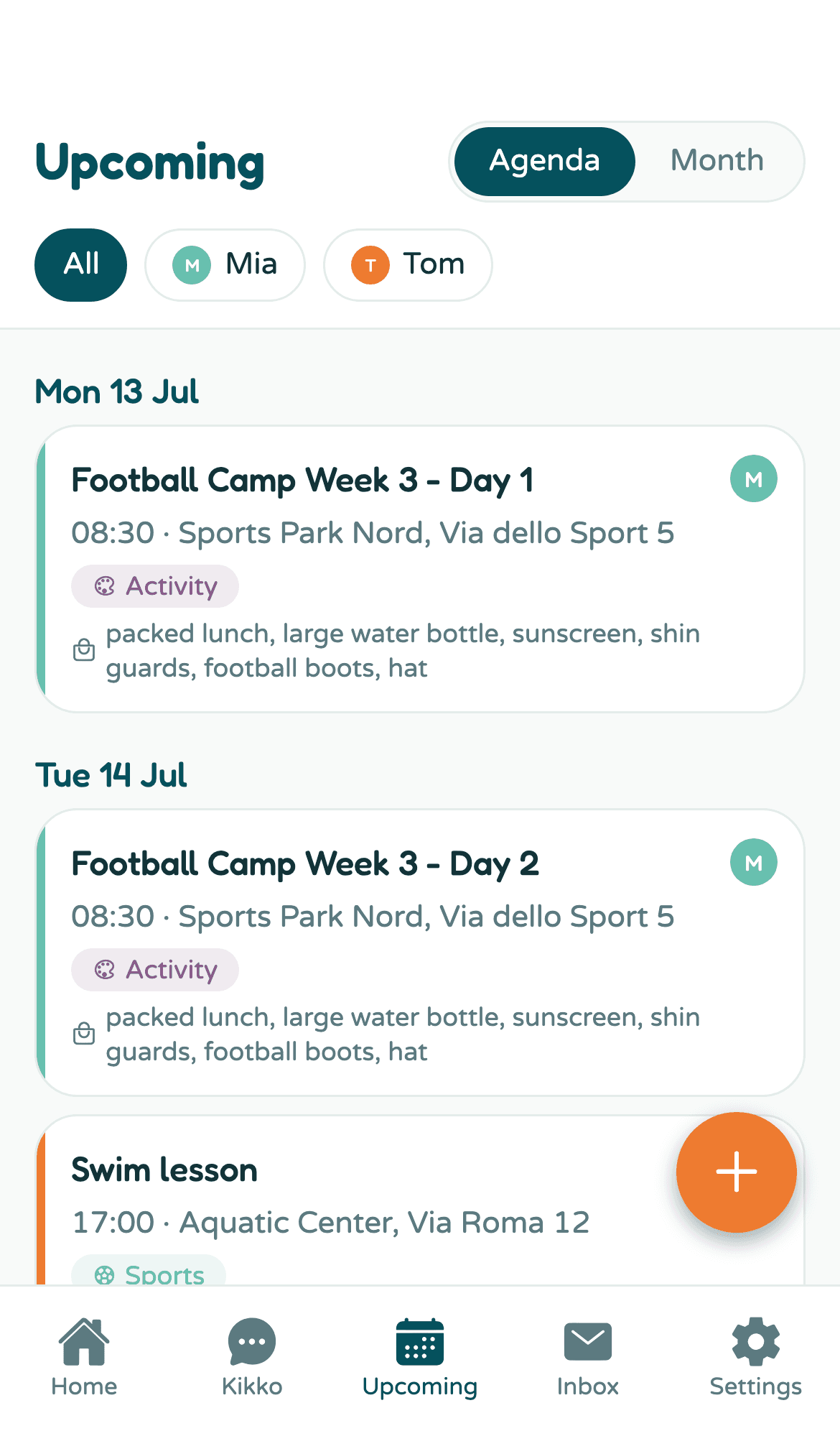
- You get an event card, not just a calendar line. The packing list is on it. The form deadline has its own reminder, set before the date, not on it.
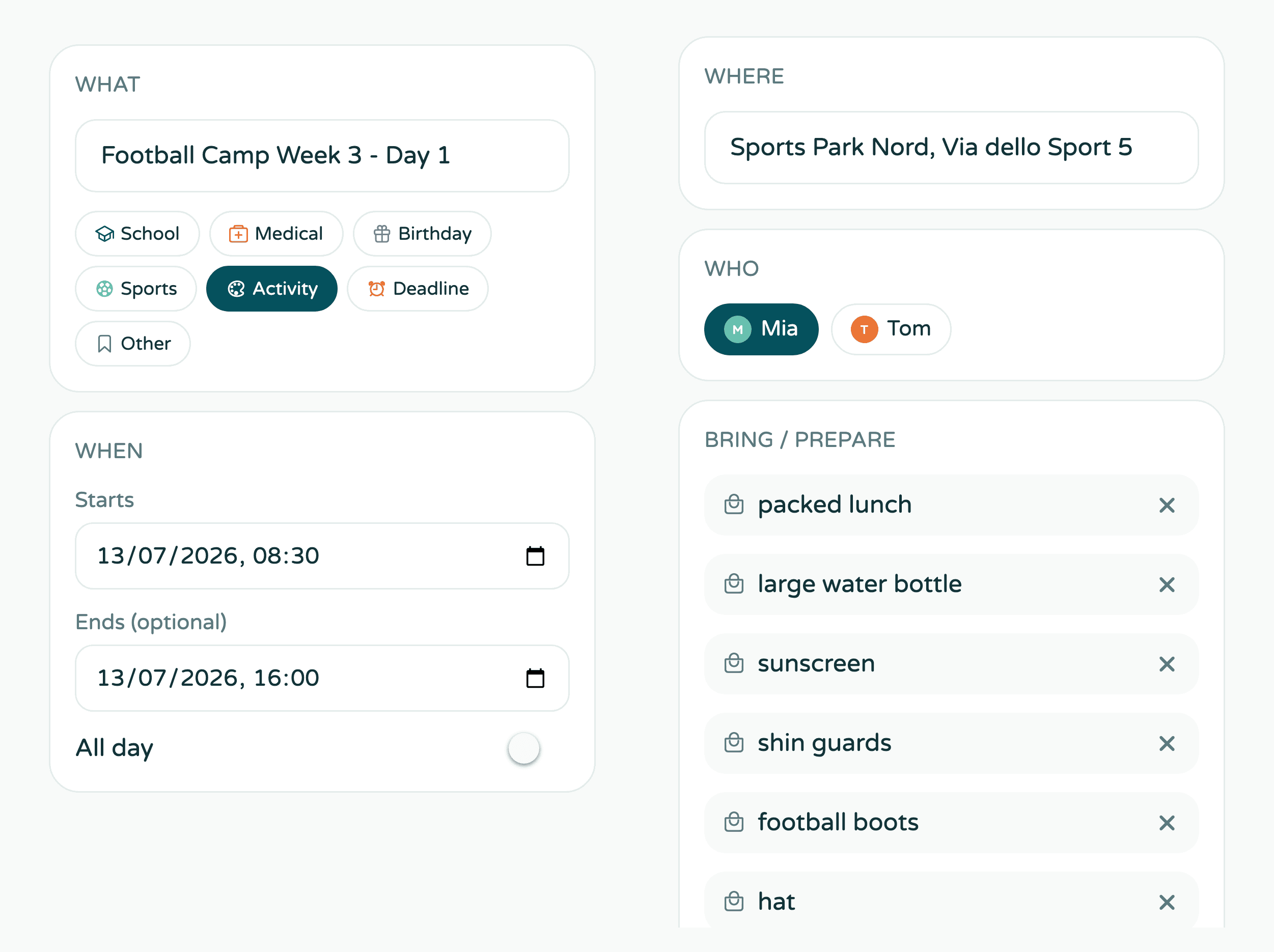
The original email stays attached to the event. When you're standing in the car park wondering "was pickup 4pm or 4:30?", the answer is on the card, and the source is one tap deeper.
And because the calendar is shared with your partner, forwarding an email is also the moment the other parent finds out about it. No relay conversation needed.
One habit to build: forward on arrival
Whichever version you run, manual or Kikko, the rule is the same as with paper slips: capture at the moment of arrival.
Read the email, forward the email. That's the whole habit. It works in the supermarket queue because it takes four seconds. If you use a regular calendar instead, then "touch it once" is your version of the same rule. The system matters less than the timing.
A practical extra: if your school or camp always writes from the same address, set up a filter in your mail app that forwards those senders automatically. Then even the four seconds disappear. The step-by-step version (with the Gmail and Outlook settings) is in the Help Center guide.
Try it with the email you skipped
You almost certainly have one: an email from this week with a date in it that never made it to the calendar. Dig it out and forward it.
Kikko is live at app.kikko.ai, free for 14 days, no card required. If the manual version works for you instead, run the manual version... just run it today, not "later."