
Help Center · Adding things to Kikko · Updated
Forward school emails to your family address

This is Kikko's superpower. Your family has its own private email address, and anything you forward there gets read by Kikko and turned into events, deadlines, and things to bring - original attached.
Find your family's address
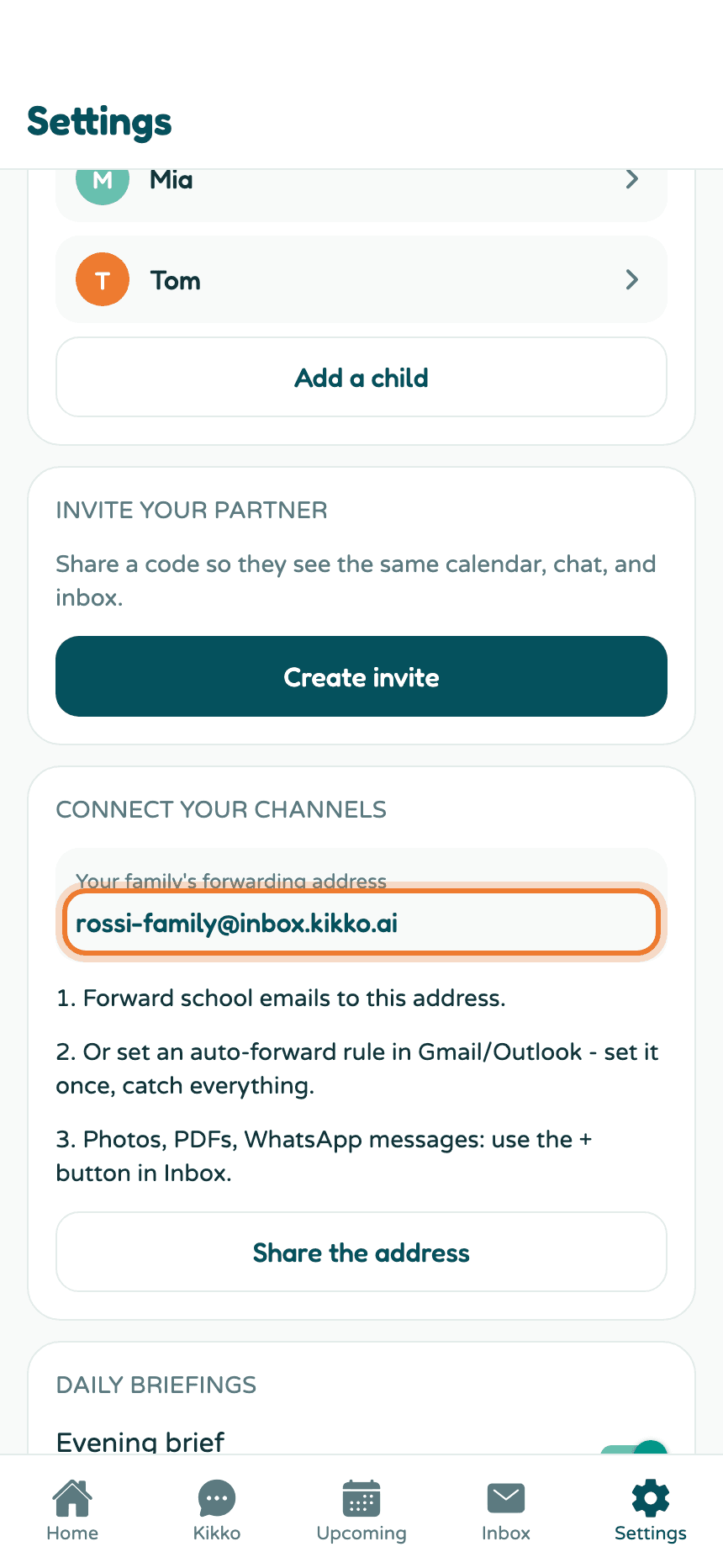
1. Open Settings → Connect your channels
Your address ends in @inbox.kikko.ai and belongs only to your family.
2. Save it as a contact
Tap Share the address to send it to yourself, or copy it and save it in your email contacts as "Kikko". That makes forwarding a two-tap habit.
Forward an email
3. Forward like you'd forward anything
Open the school email in Gmail, Outlook, or any mail app, hit forward, and send it to your Kikko address. No subject changes, no special format. It works from any email account - the address isn't tied to the email you signed up with.
4. Check the Inbox tab
Within a minute or so, the email shows up in Kikko's Inbox tab with a summary and a green "added" badge for what Kikko created.
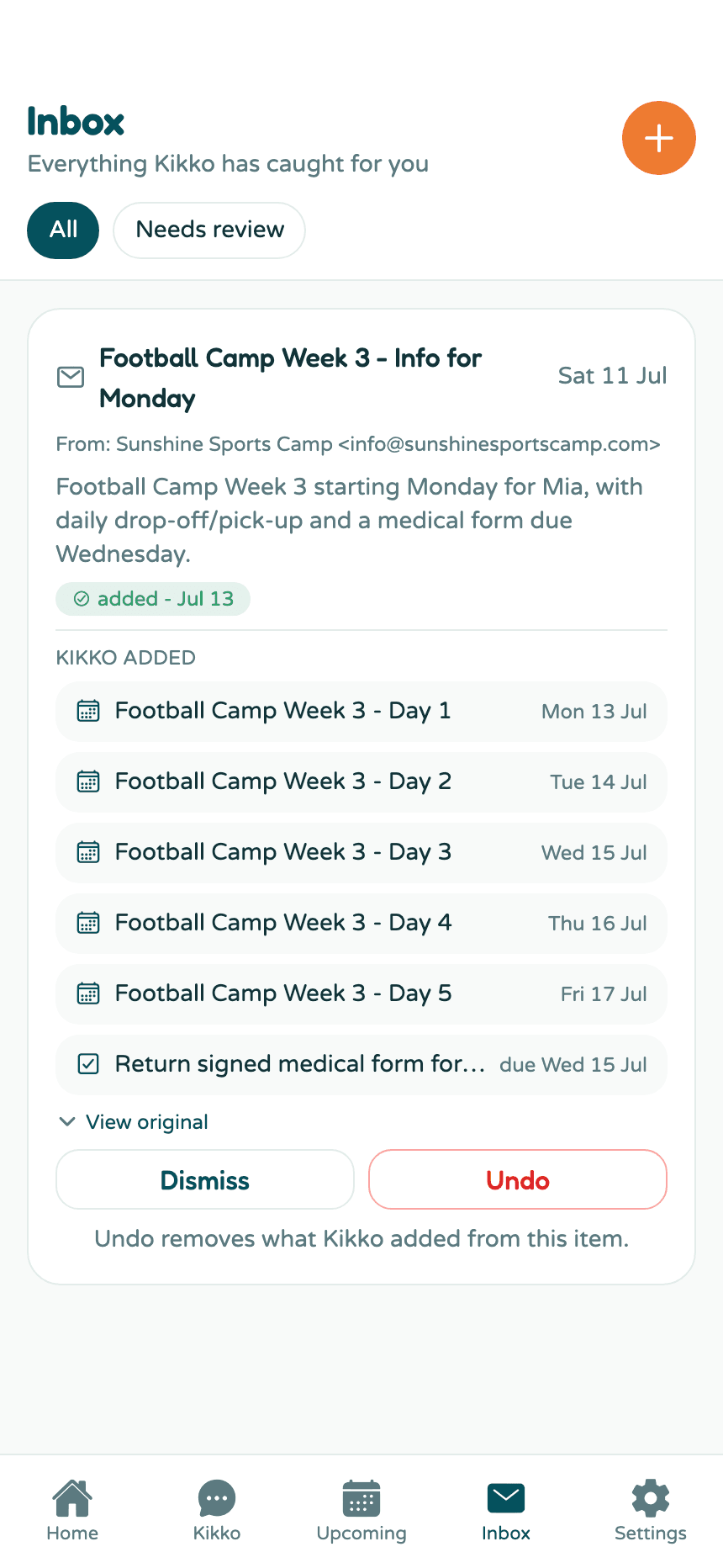
Tap the item to see exactly what Kikko added. View original shows the full email, so nothing is ever lost in translation.
5. The events carry their source
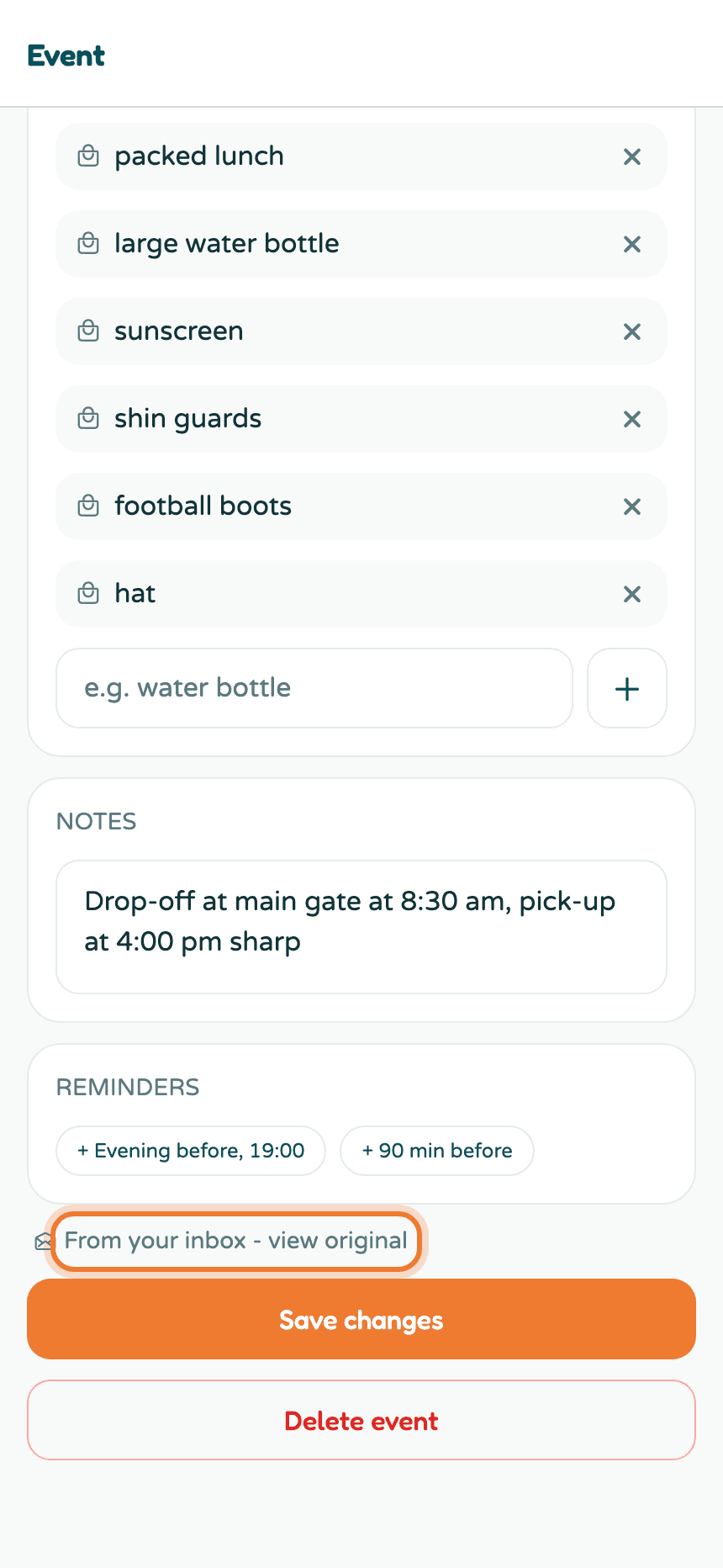
Open any event that came from an email and you'll find a link back to the original at the bottom. Perfect for "wait, what time was pick-up again?" moments.
Set up auto-forwarding (recommended)
Forwarding one email is nice. Never forwarding again is better. Set a rule in your mail app that auto-forwards school senders to your Kikko address:
- Gmail:
- Settings → See all settings → Forwarding and POP/IMAP → Add a forwarding address → paste your Kikko address → Next → Proceed.
- Gmail emails a confirmation link to your Kikko address, and Kikko catches it. Within a minute your Inbox shows a card with an orange action needed badge and a Confirm forwarding button. Every family member also gets an email with the same button. Tap it once and Google's page confirms on the spot. Kikko never opens the link for you.
- Back in Gmail, the address now shows as verified. Don't switch on "Forward a copy of incoming mail" - that's your whole mailbox. Go to Filters and blocked addresses → Create a new filter → From: your school's senders → Forward it to your Kikko address.
- If a card says the confirmation has expired, go to Gmail → Forwarding and tap Re-send email to get a fresh one.
- Outlook: Settings → Mail → Rules → Add new rule → condition "From: your school" → action "Forward to" your Kikko address.
Set it once, and every newsletter, schedule change, and permission slip lands in Kikko automatically.
Good to know
- Kikko reads emails in any language - Italian school newsletter, German camp schedule, all fine.
- Kikko never sees your mailbox. It only receives the individual emails you forward or auto-forward.
- If Kikko wasn't sure about a date or detail, the item is flagged for review so you can confirm it with one tap.
- Attachments (PDFs, images) come along with the forwarded email and Kikko reads those too.
- Under View original, links inside the email are tappable.
- Auto-forwarded emails arrive from the school's address, not yours, so Kikko marks them for a quick review. Open the item, check, done.
Related
Did this answer your question? If not, email us and we'll help.