
Help Center · Inbox and review · Updated
Review items Kikko wasn't sure about

Kikko reads messy real-world stuff - flyers, group chats, forwarded emails. When something looks off (a date in the past, a detail it couldn't pin down), Kikko still saves it but flags it for your review instead of silently guessing. You stay in control.
Where flagged items show up
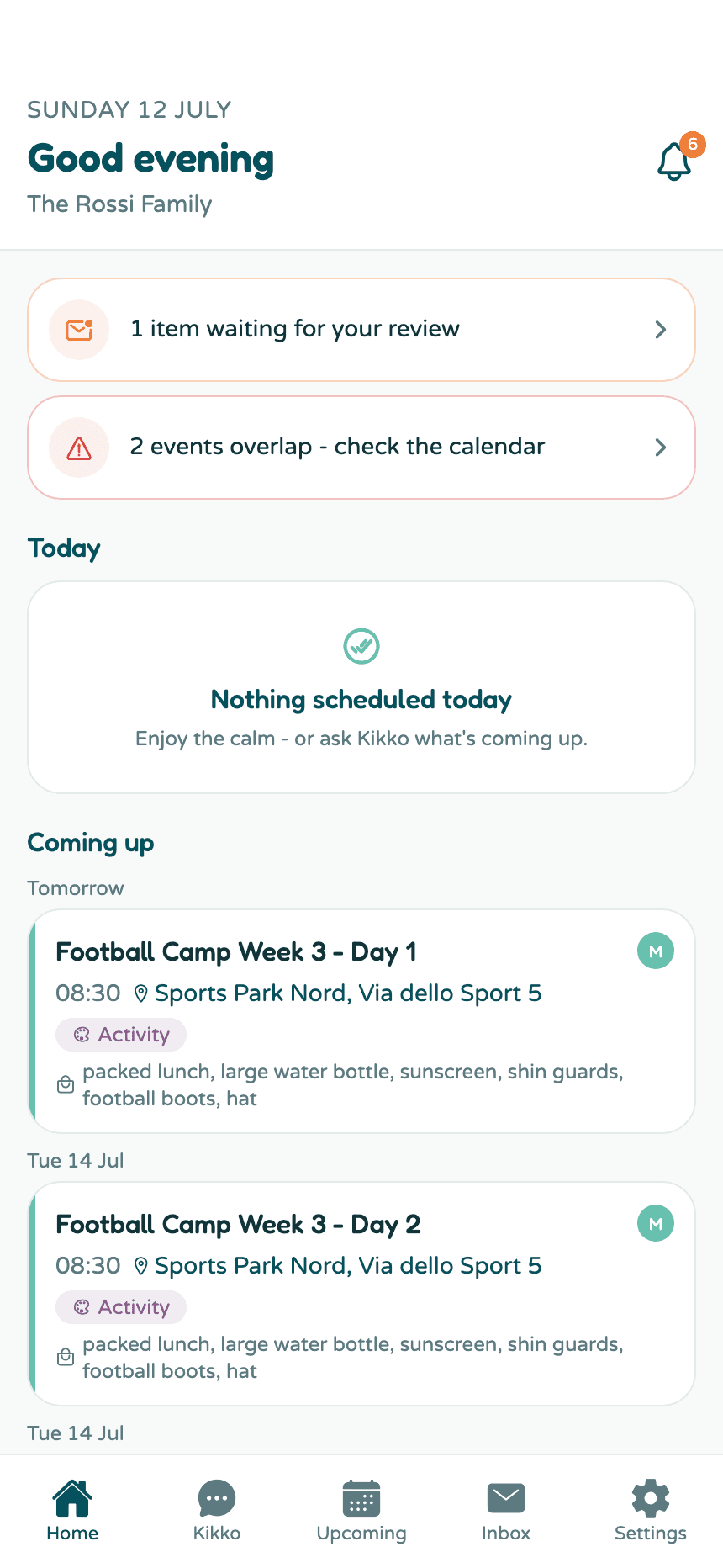
1. On Home, in the attention strip
Anything waiting for review appears at the top of Home. Tap the card to jump straight to it.
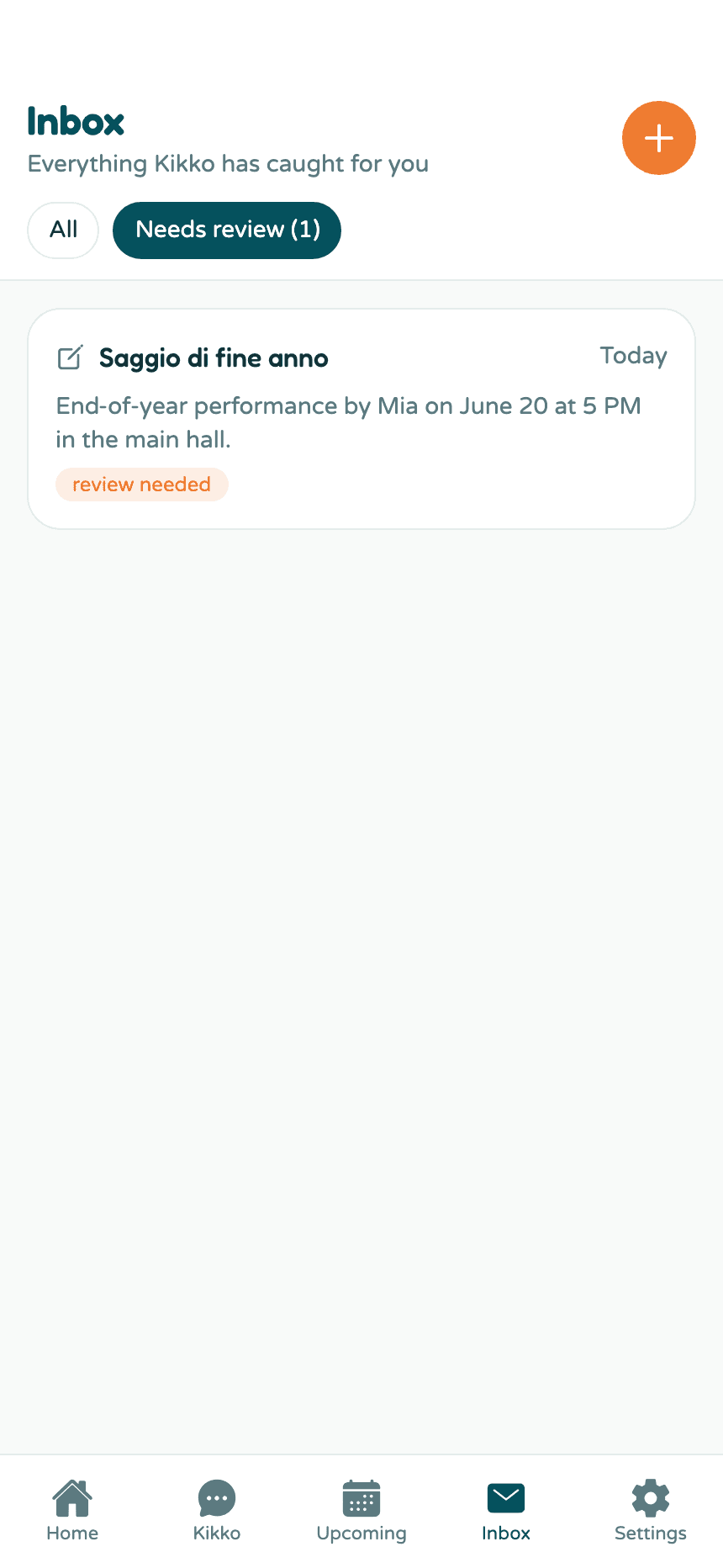
2. In the Inbox, under the Needs review filter
The Needs review chip shows a count and filters the Inbox down to just the items that want your attention. Flagged items wear an orange review needed badge.
Confirm or remove
3. Open the event and decide
An event created from a flagged item carries a yellow banner: "Kikko added this from your inbox. Everything look right?"
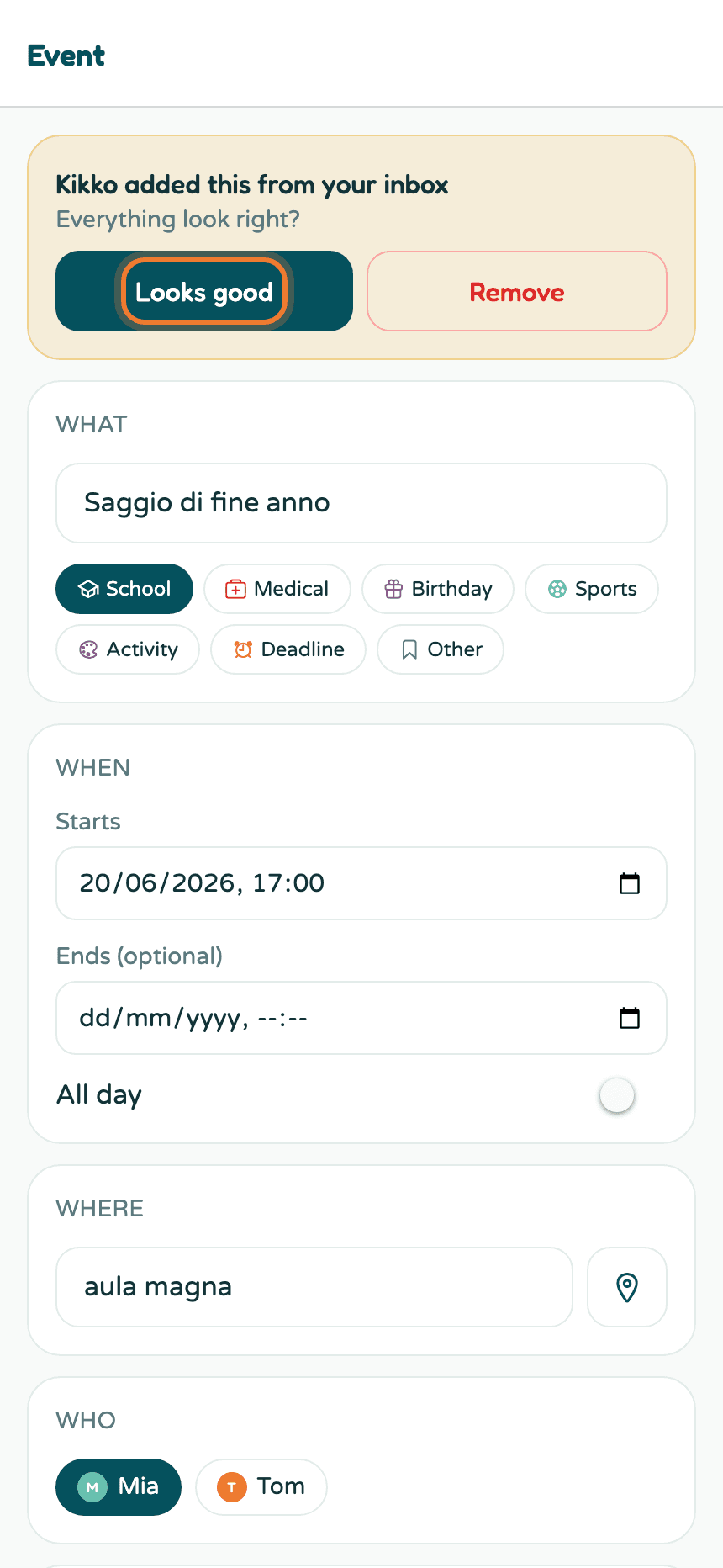
- Looks good - the flag clears and the event behaves like any other.
- Remove - the event is deleted.
- Or fix it yourself: change the date, time, or title right on this screen and save.
Why items get flagged
The common reasons:
- The date is in the past. A flyer from last month, or a date Kikko read as already gone - it won't quietly put old events on your calendar.
- Something was ambiguous. A missing year, a vague "next week", conflicting details in the text.
Good to know
- Flagged events don't trigger reminders until you confirm them.
- Undoing the inbox item (in the Inbox) removes the flagged event too.
- Confirming takes one tap and you rarely need to do more - Kikko flags a handful of items, not everything.
Related
Did this answer your question? If not, email us and we'll help.