
Help Center · Inbox and review · Updated
How the Inbox works

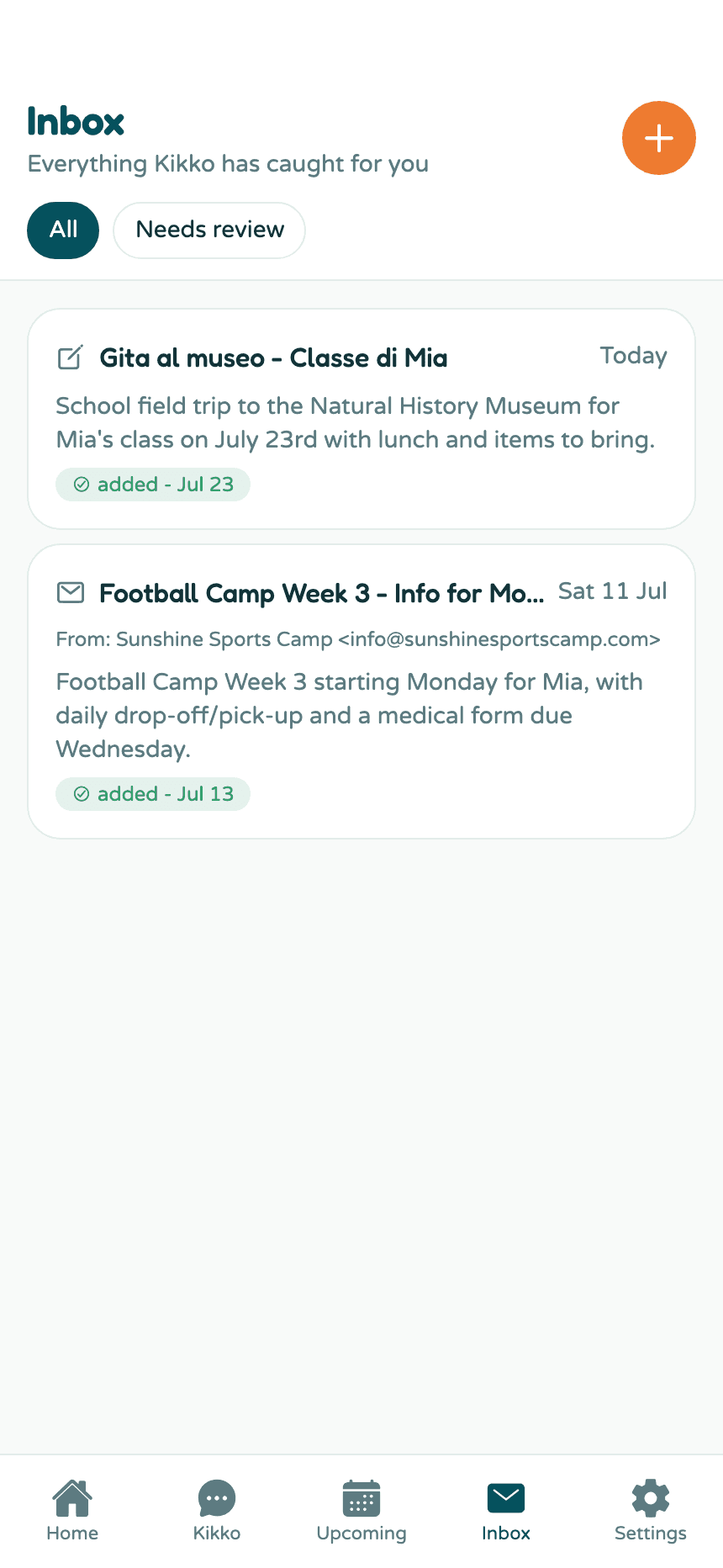
The Inbox is Kikko's paper trail. Every forwarded email, captured photo, PDF, or pasted text shows up here, together with everything Kikko created from it. Nothing disappears into a black box.
Reading the Inbox
1. Open the Inbox tab
Each item shows where it came from (an envelope for email, a pencil for pasted text), a short summary in English, and a green added badge when Kikko created something from it.
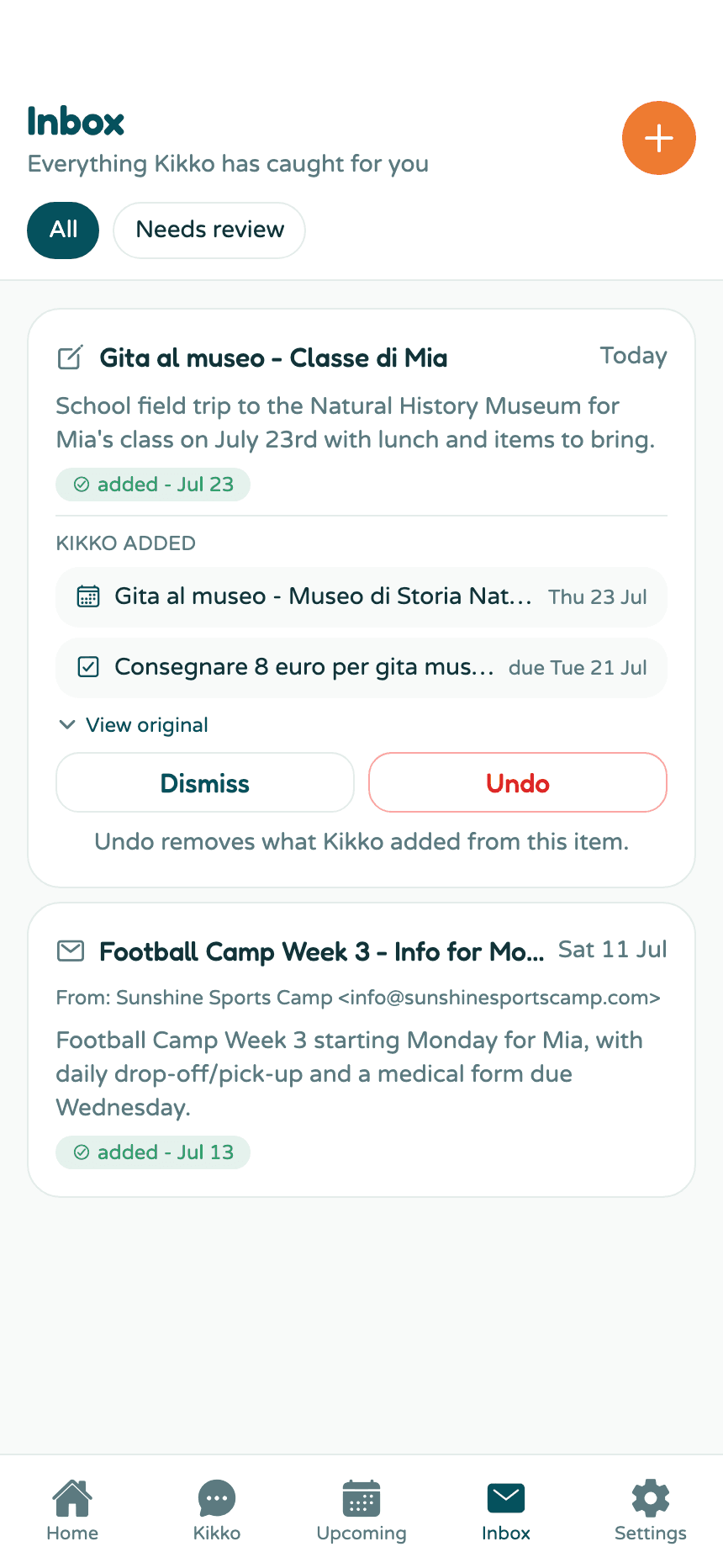
2. Tap an item to see what Kikko added
The Kikko added list shows every event and task extracted from that item, each one tappable - tap the museum trip to open the event itself.
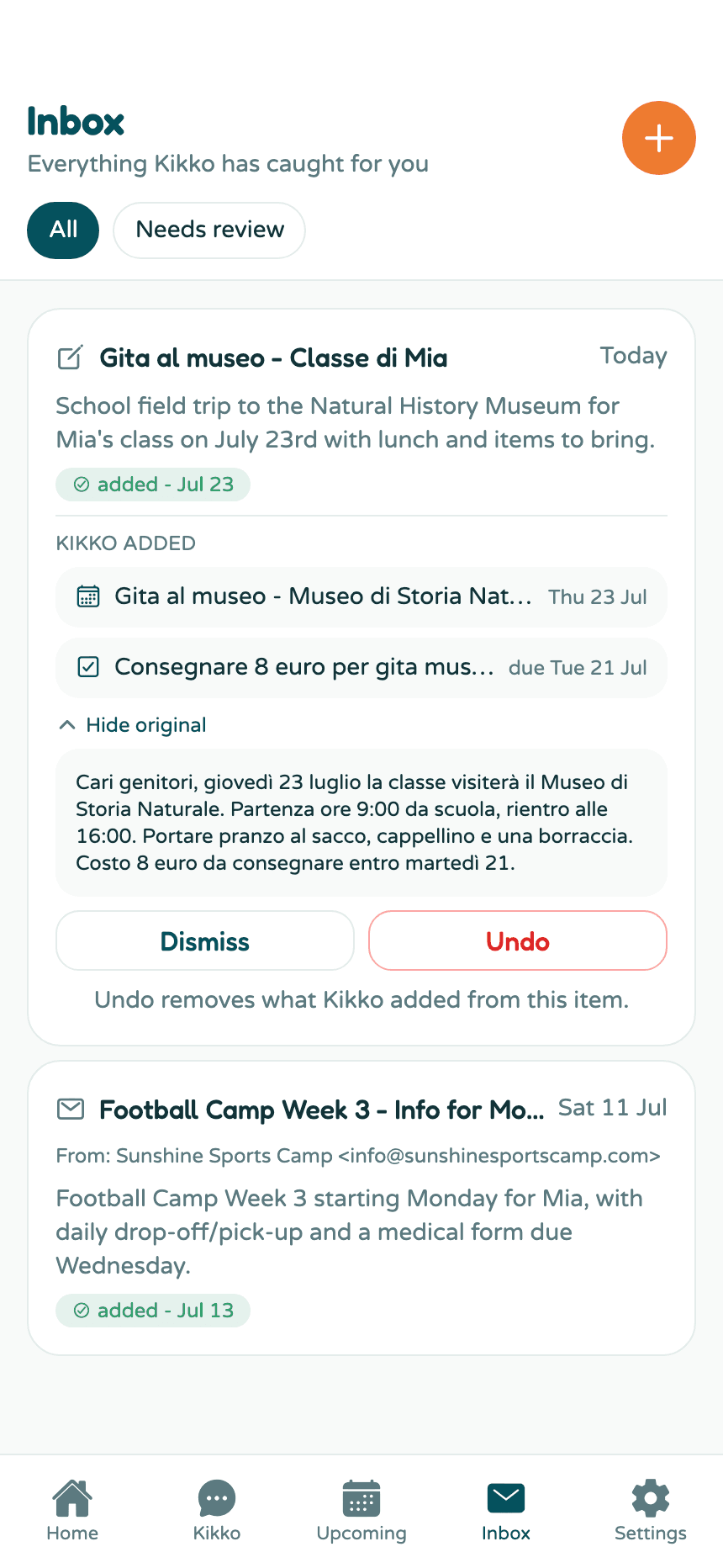
3. Check the original anytime
Tap View original and the source unfolds right there: the full email text, the pasted message, or the attached photo or PDF. Handy when you want the exact wording the school used.
Fixing mistakes
Two buttons at the bottom of every expanded item:
- Undo removes everything Kikko created from that item - all its events and tasks - in one go. It asks you to confirm ("Really undo?") before deleting anything.
- Dismiss hides the item from the list without touching the events and tasks it created.
You can also edit any created event or task directly: tap it and change whatever needs changing.
Good to know
- Items Kikko wasn't sure about wear an orange review needed badge and collect under the Needs review filter.
- Emails show the real sender ("From: Sunshine Sports Camp"), so you know who sent what.
- Kikko summarizes items in English even when the source is in another language.
Related
Did this answer your question? If not, email us and we'll help.