
Help Center · Calendar and tasks · Updated
See Kikko events in Google or Apple Calendar

You don't have to give up your usual calendar. Kikko publishes a private, read-only feed of your family's events that Google Calendar, Apple Calendar, and Outlook can subscribe to. Kikko stays the place where events get captured; your calendar app simply shows them too.
Get your feed link
1. Open Settings → Calendar feed
Your feed is a private URL with a long secret token - treat it like a password.
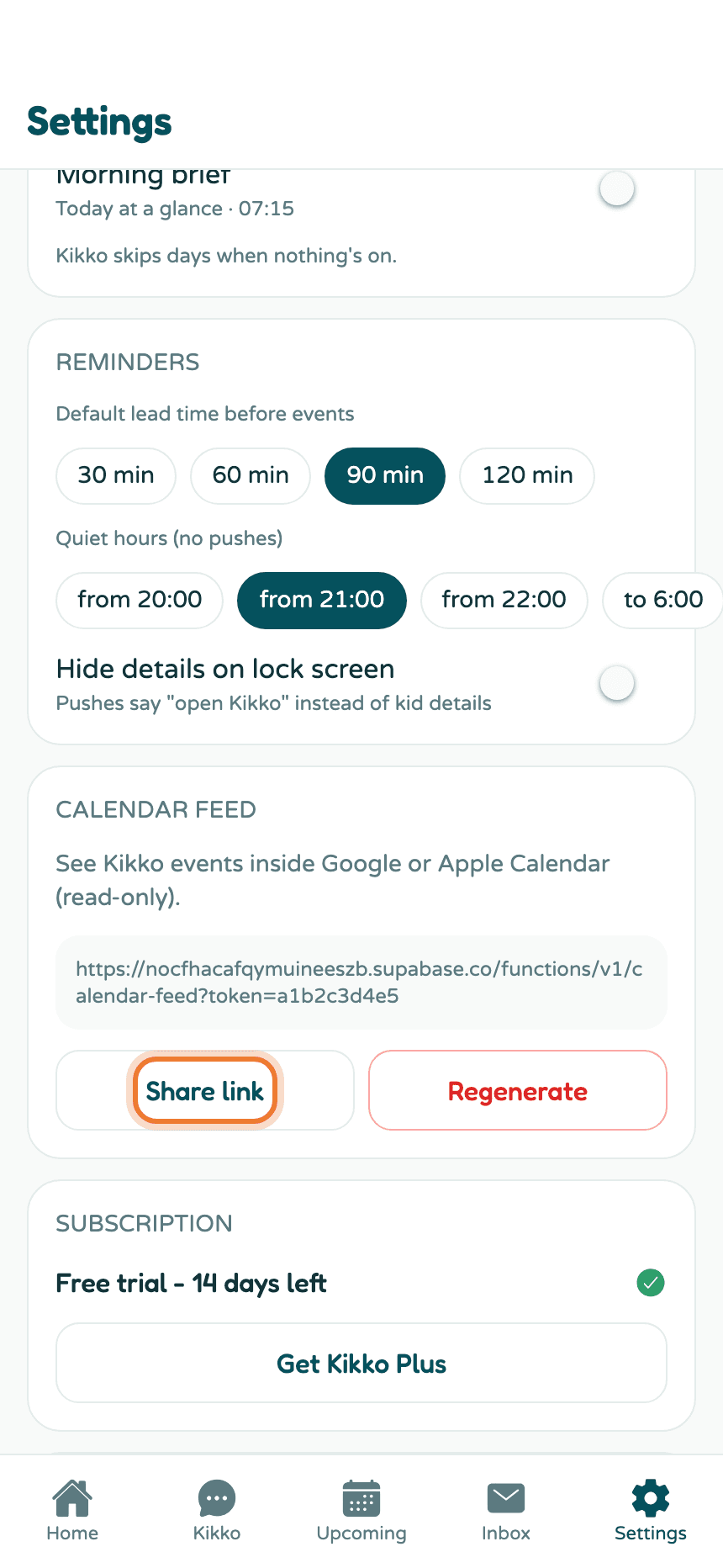
Tap Share link to send the URL to yourself (or copy it on a computer).
Subscribe in your calendar app
Google Calendar
- Open calendar.google.com on a computer.
- In the left sidebar, next to "Other calendars", click + → From URL.
- Paste your Kikko feed URL and click Add calendar.
Kikko events appear as their own calendar you can toggle on and off. Google refreshes subscribed feeds on its own schedule (typically every few hours).
Apple Calendar (iPhone or Mac)
- iPhone: Settings → Apps → Calendar → Calendar Accounts → Add Account → Other → Add Subscribed Calendar, paste the URL.
- Mac: Calendar → File → New Calendar Subscription, paste the URL.
Outlook
Settings → Calendar → Shared calendars → Subscribe from web, paste the URL.
Everything on this card
- Share link - your feed URL, ready to paste into any calendar app.
- Regenerate - creates a new secret token and kills the old URL. Every calendar app that used the old link stops receiving events, so re-subscribe after. Use it if you ever shared the link with the wrong person.
Good to know
- The feed is read-only: your calendar app can display Kikko events but can't change them. Edits happen in Kikko.
- The feed covers the whole family's events, colors and kids included in the event titles where useful.
- How fast new events appear depends on how often your calendar app polls the feed - Google can take a few hours; Apple lets you pick the refresh interval.
Related
Did this answer your question? If not, email us and we'll help.