
Help Center · Calendar and tasks · Updated
The Upcoming tab: agenda and month views

The Upcoming tab is the family calendar. Two views, one filter, and everything color-coded by kid.
The agenda view
The default view lists everything day by day: events with their time, place, category, and bring-list, plus tasks with due dates. Each kid's color runs along the left edge of their cards.
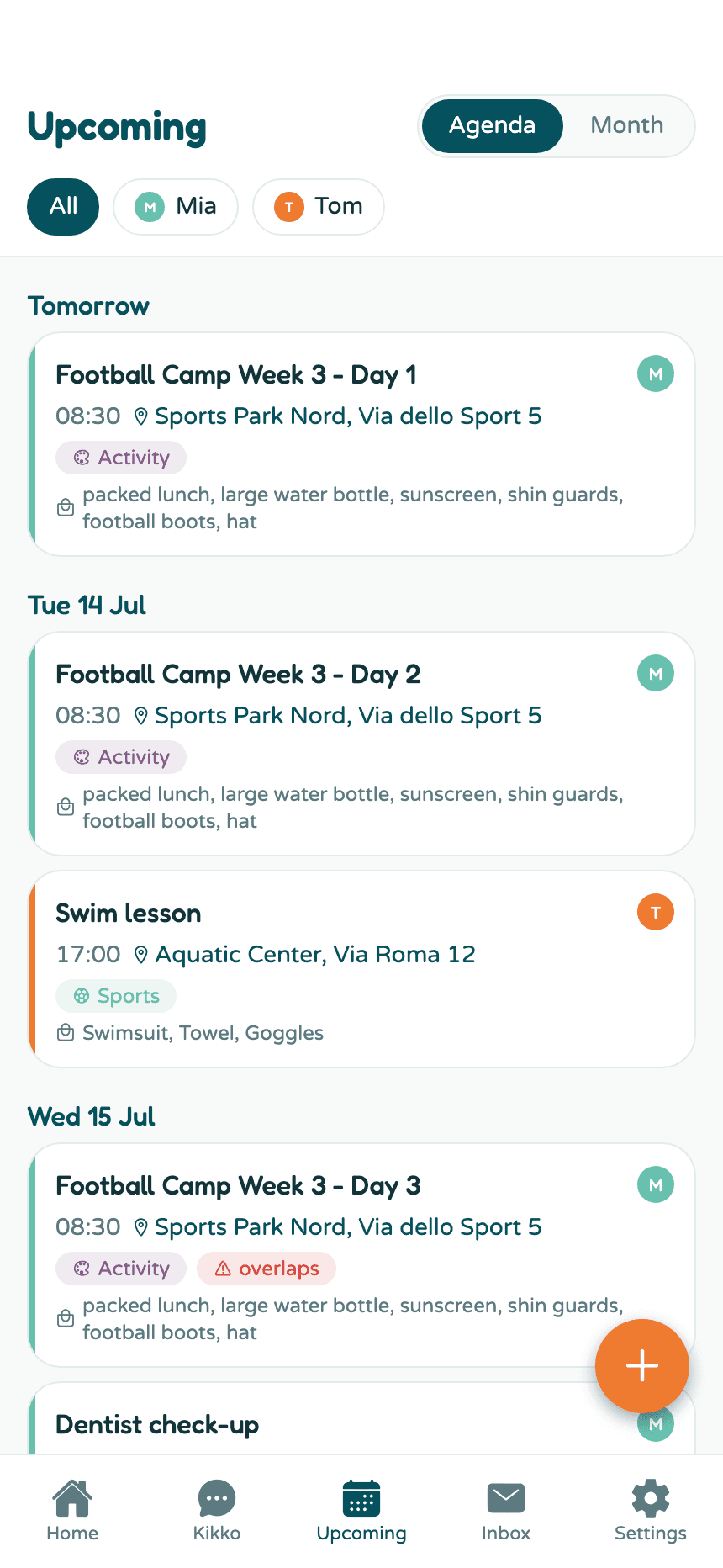
Tap any card to open the event's details. Tick a task's circle to mark it done.
The month view
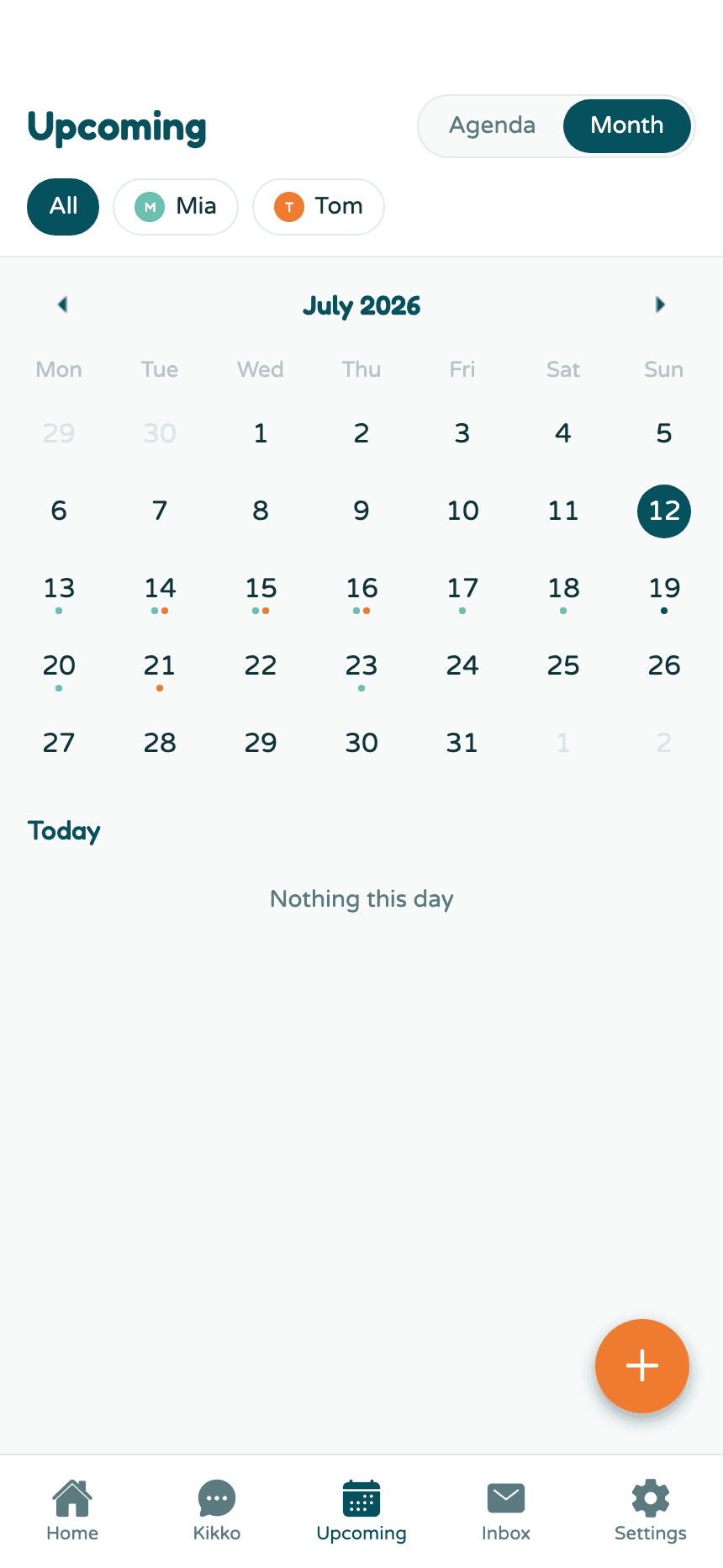
Tap Month at the top to switch to a grid. Each day shows a colored dot per kid with something scheduled - teal for one kid, orange for the other, side by side on shared days. Tap a day to see its events below the grid.
Filter by kid
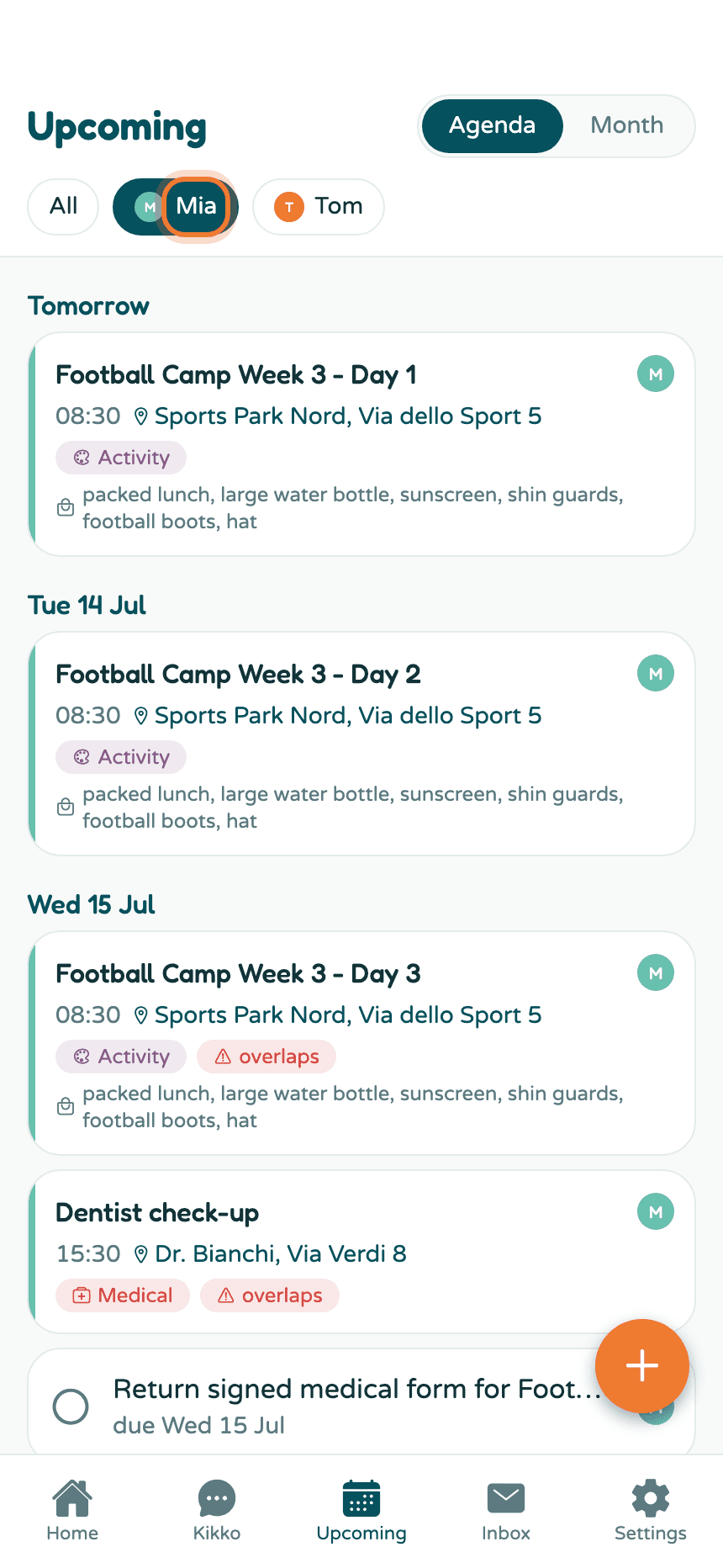
Tap a kid's chip at the top to see only their schedule. Tap All to go back.
Everything on this screen
- Agenda / Month toggle - top right.
- Kid chips - filter everything (both views) to one kid.
- overlaps badge - two events at the same time get flagged on their cards; see Event details.
- Completed section - finished tasks collapse at the bottom; see Manage tasks.
- The + button - add an event, a task, or capture something.
Related
Did this answer your question? If not, email us and we'll help.