
Help Center · Account and family · Updated
Kids' profiles and what Kikko remembers

Kikko organizes the whole app around your kids: every event belongs to one, every card wears their color, and each kid has a profile worth a minute of setup.
Open a kid's profile
Settings → Your kids → tap a kid
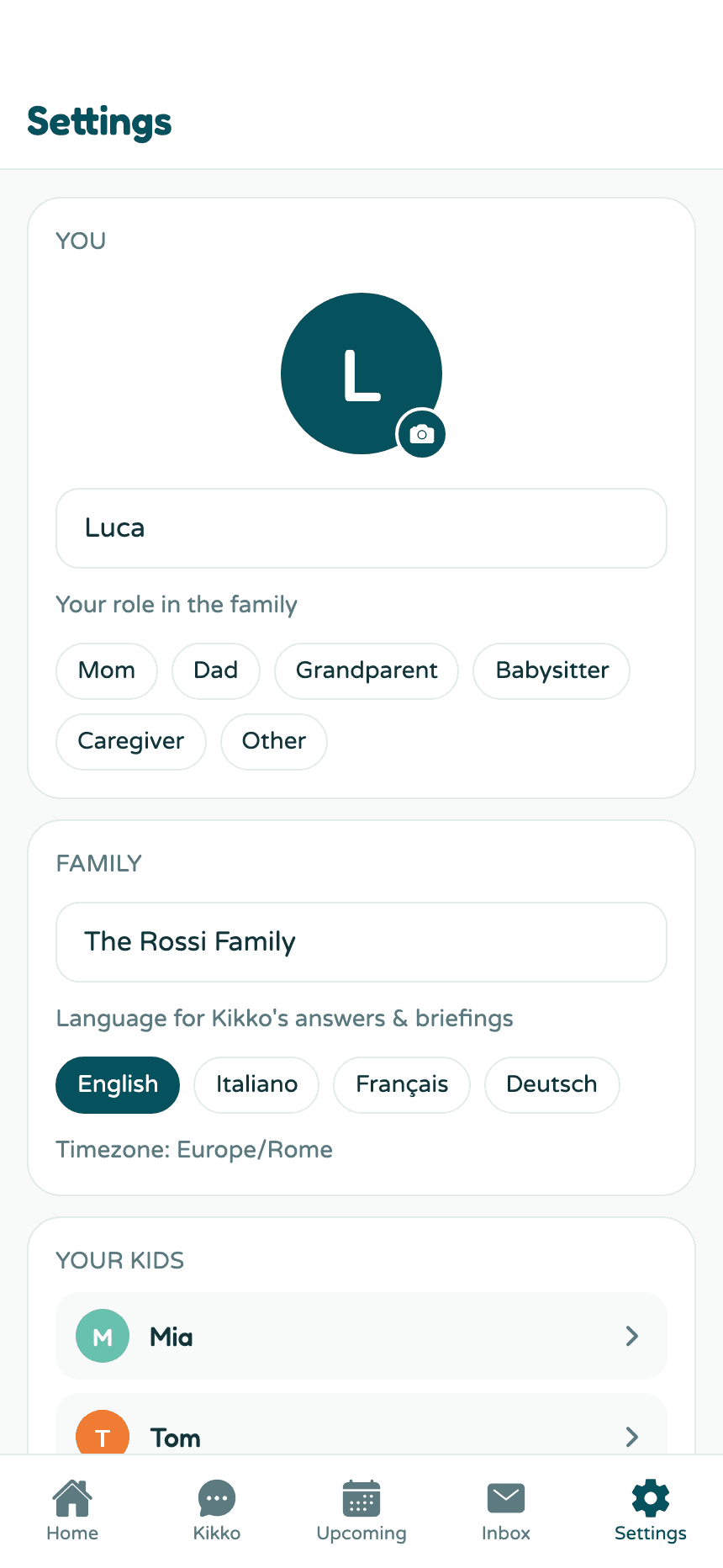
What's on the profile
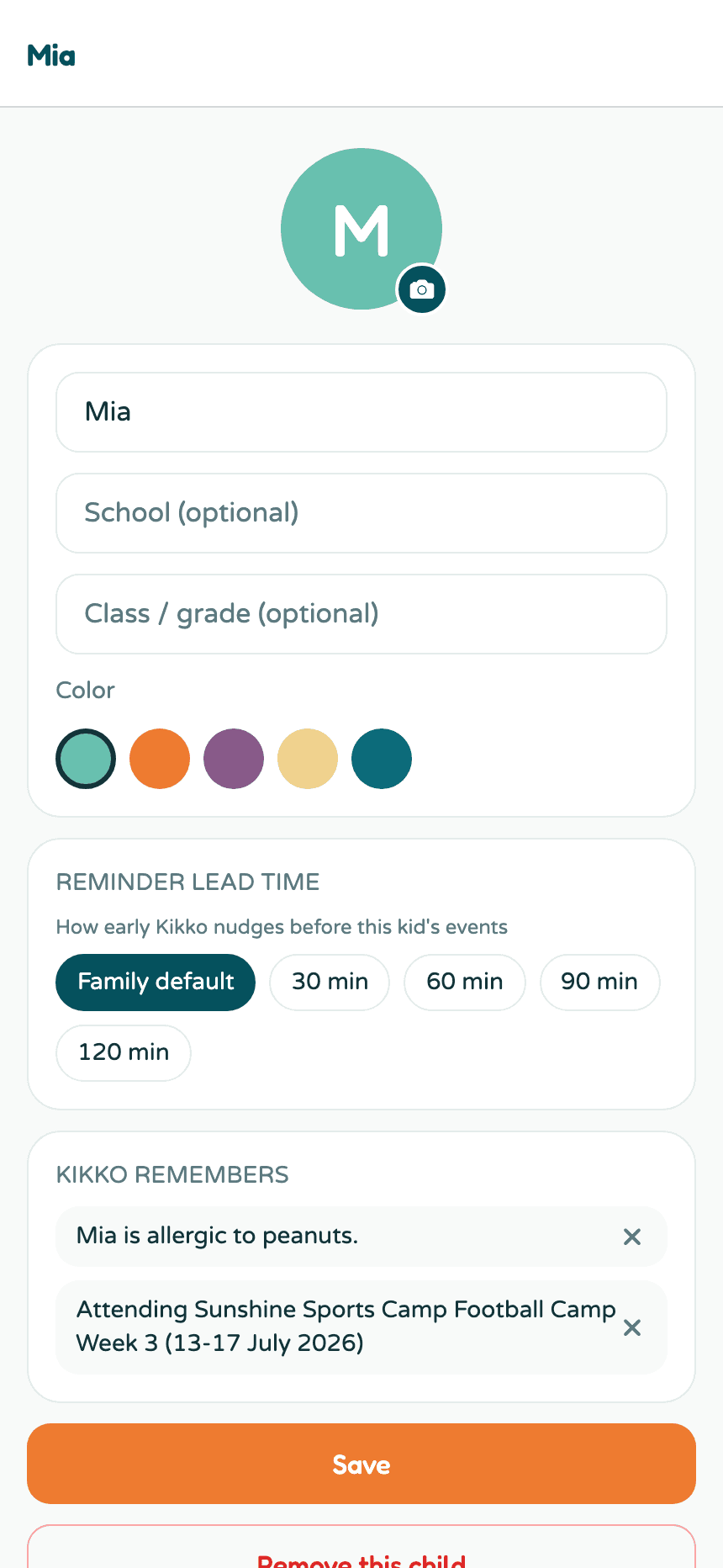
- Name, school, class - the school field helps Kikko understand school emails; class is handy when the newsletter says "Class 3B only".
- Photo - tap the avatar to add one.
- Color - this kid's color everywhere: agenda cards, month-grid dots, filter chips. Pick from the five brand colors.
- Reminder lead time - a per-kid override of the family default; see reminders.
- Remove this child - at the very bottom, deliberately out of the way.
What Kikko remembers
When useful facts come up in conversation, Kikko keeps them on the kid's profile. Teach it anything, anytime, right in the chat:
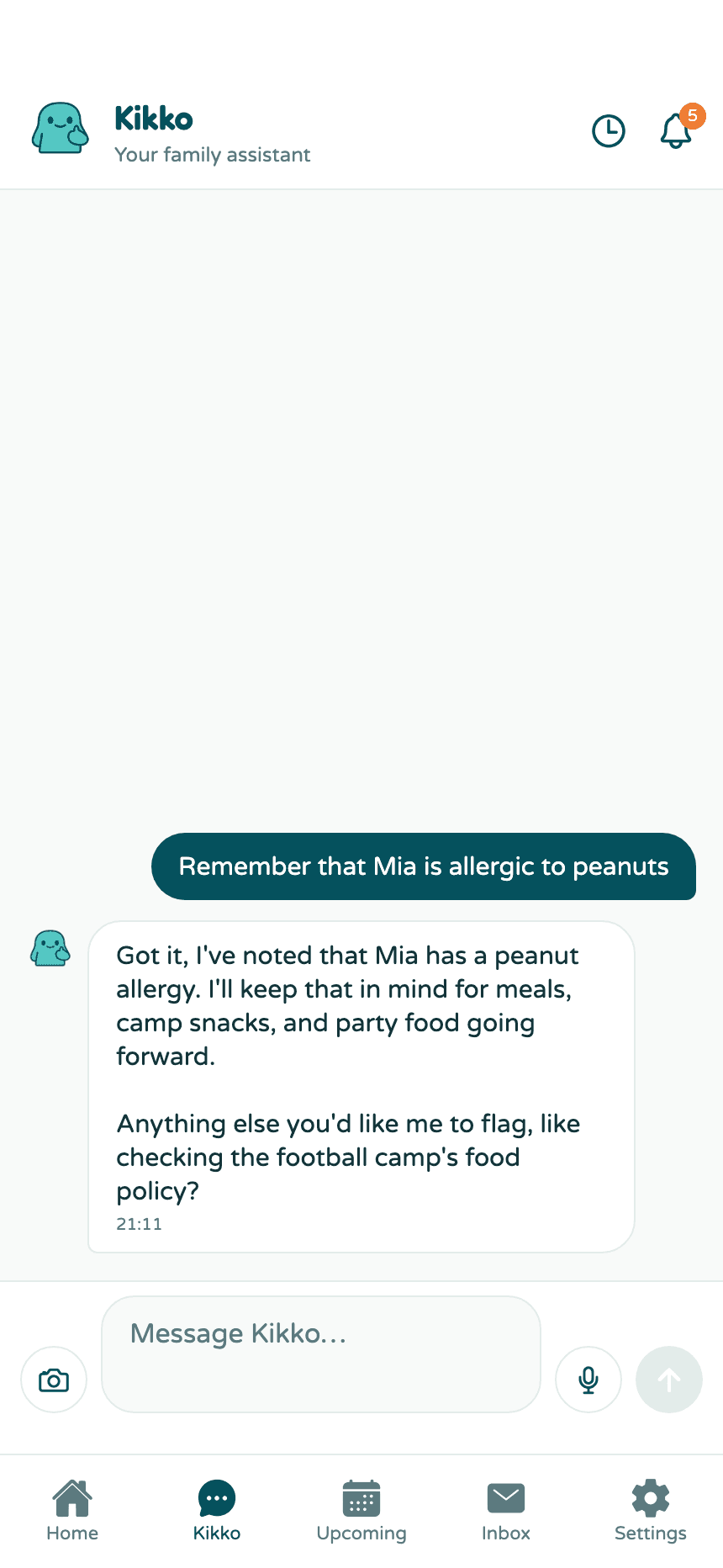
The fact lands in the Kikko remembers section of the profile, where you can see everything Kikko knows and delete anything with the x.
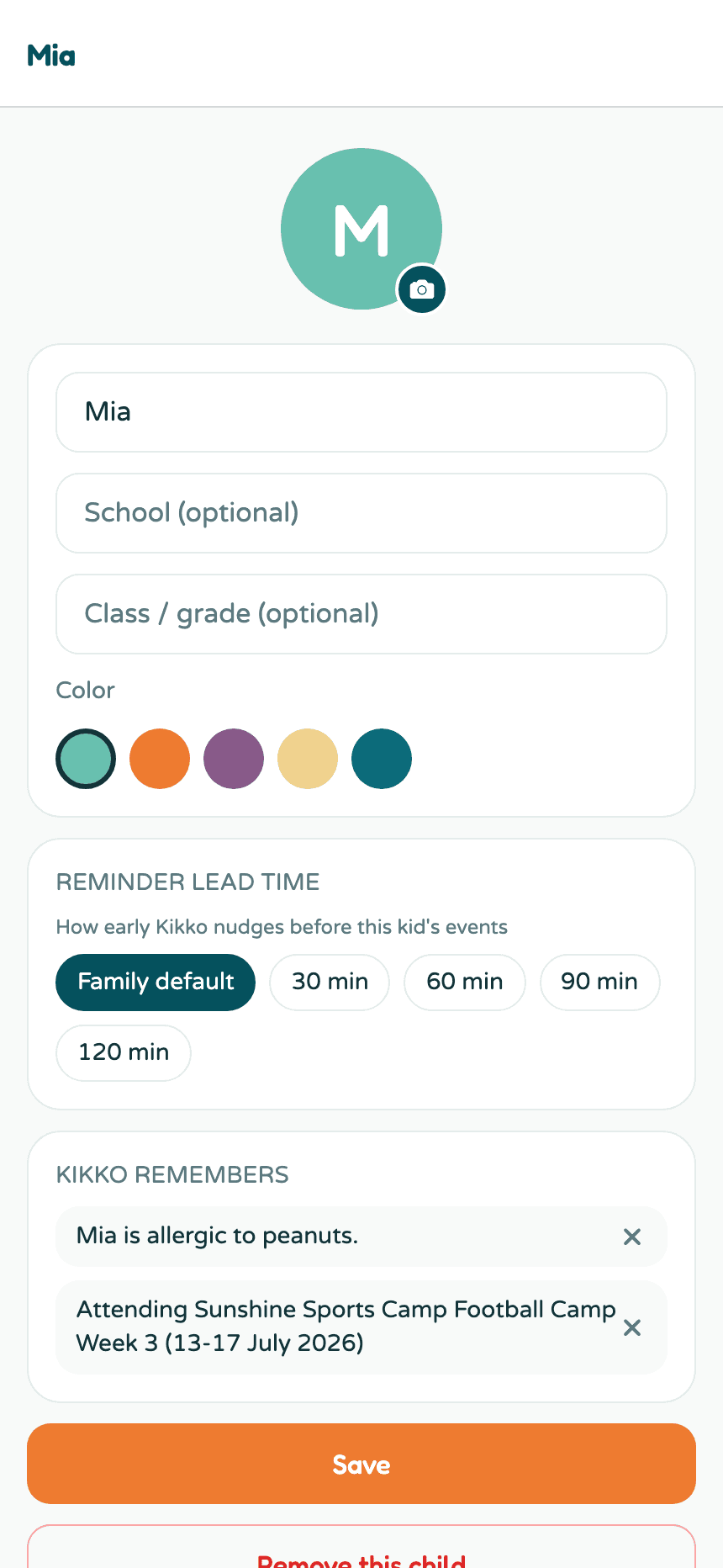
Kikko uses these facts when they matter - answering questions, drafting briefings, spotting that the birthday party menu and the peanut allergy don't mix.
Good to know
- Facts are per kid and visible to the whole family.
- Kikko also picks facts up on its own from chats (activities, preferences) - always inspectable and deletable here.
- Adding another kid later: Settings → Your kids → Add a child.
Related
Did this answer your question? If not, email us and we'll help.