
Help Center · Reminders and notifications · Updated
Set up reminders

Kikko's reminders are the difference between knowing about the swim lesson and actually arriving with the swimsuit. They work out of the box, and everything about the timing is yours to tune.
Family defaults
1. Open Settings → Reminders
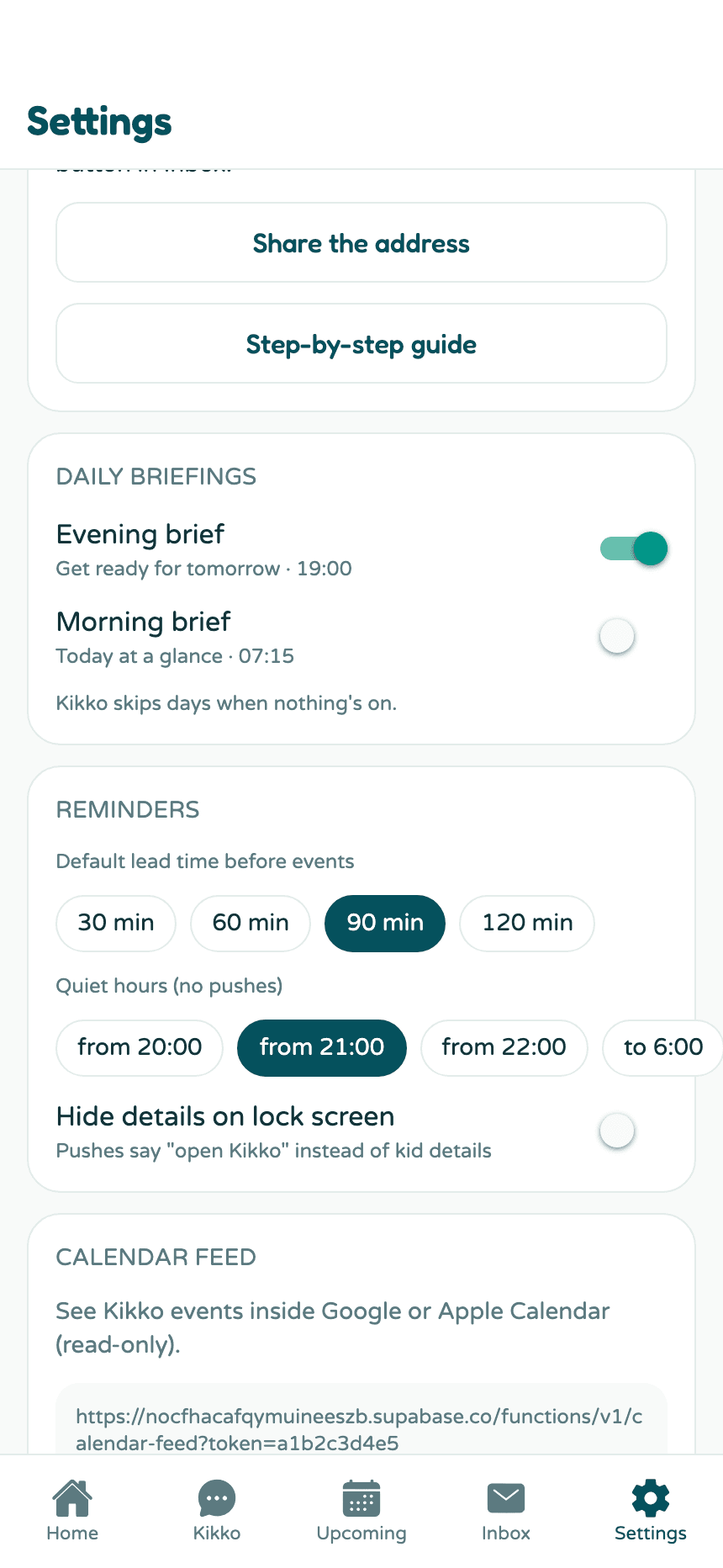
Three things to set:
- Default lead time - how early Kikko nudges before events: 30, 60, 90, or 120 minutes. This applies to every event unless a kid or an event overrides it.
- Quiet hours - no pushes between your chosen evening hour (20:00, 21:00, or 22:00) and morning hour (6:00, 7:00, or 8:00). Anything due in that window waits politely.
- Hide details on lock screen - when on, push notifications say "open Kikko" instead of showing kid names and details on your lock screen.
Per-kid lead times
Some kids need more runway. Open Settings → Your kids → tap a kid and set their personal lead time - it overrides the family default for that kid's events only.
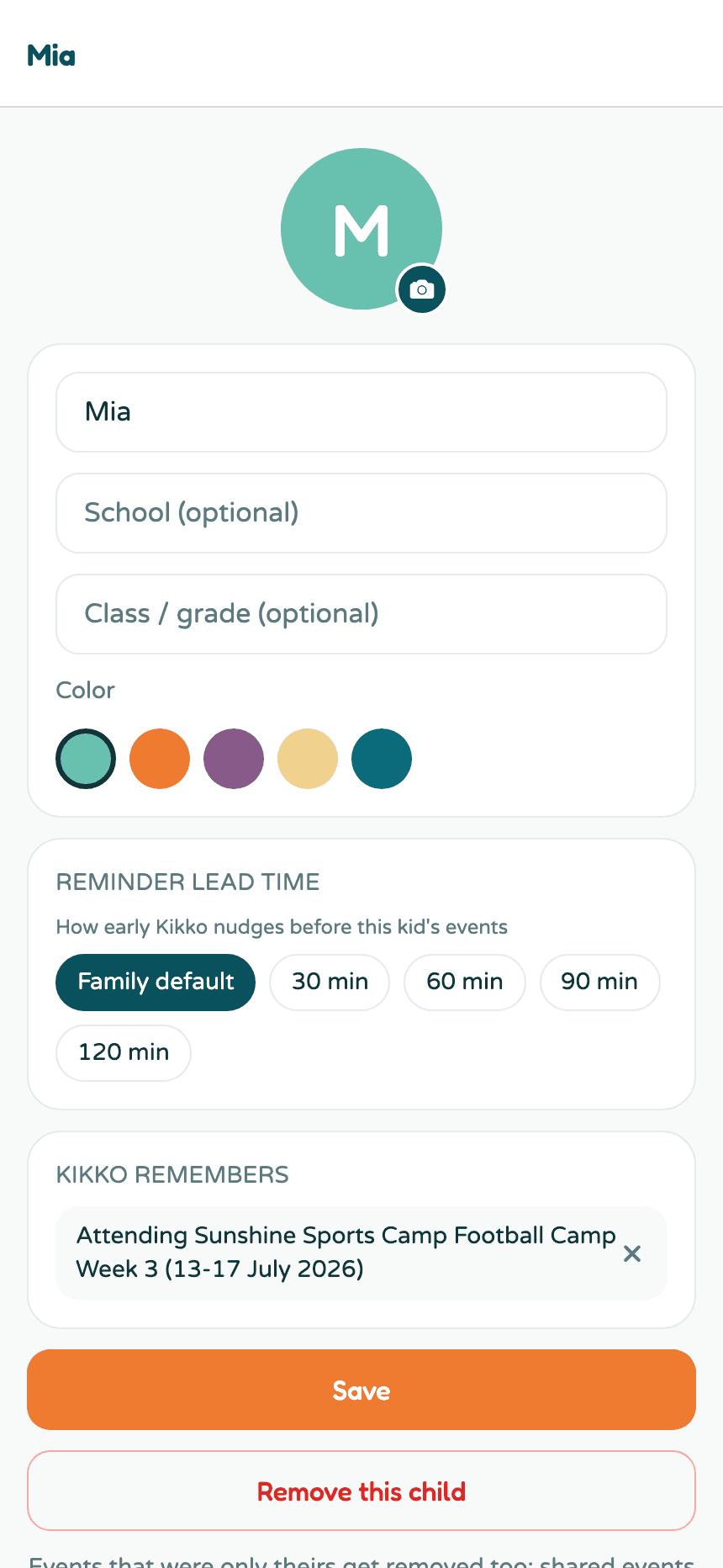
Per-event extras
Any single event can carry additional reminders ("evening before", "90 minutes before") on top of the default, and each one can be assigned to a specific parent. Set those on the event's detail screen.
Good to know
- Reminders include the bring-list, so the nudge tells you what to pack, not just where to be.
- Events flagged for review don't remind until you confirm them.
- Reminder pushes land in the notification center too, so nothing is lost if you dismiss one.
Related
Did this answer your question? If not, email us and we'll help.